
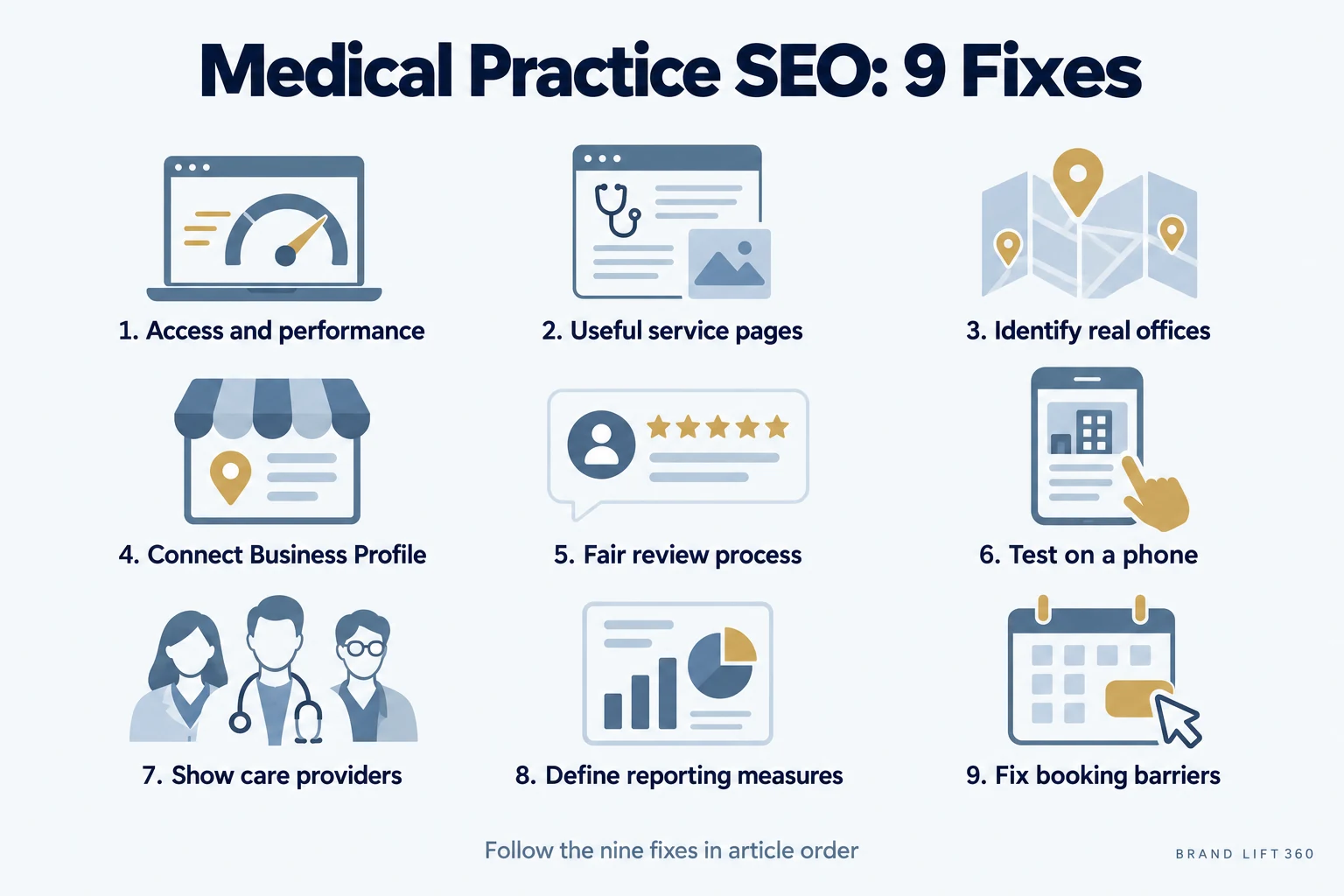
Fix the pages patients land on before you pay for more traffic: make each service easy to find, each office easy to identify, reviews fair and the phone experience simple. SEO (search engine optimization) is the work of making your website and listings easy for Google to understand and easy for patients to use.
Before increasing paid traffic, check whether patients can find the right service, evaluate the provider and complete the next step. These nine website and local SEO fixes (local SEO is the part of SEO that decides whether you show up for searches near your office) give campaigns a stronger destination.
How Google Decides Which Practices to Show
When someone searches for a treatment near them, Google usually shows a map with a few practices, then a list of websites, and more and more often an AI-written answer on top. Google says local results come down to three things:
- Relevance: how well your profile and pages match what the patient searched.
- Distance: how close your office is to the person searching.
- Prominence: how well known your practice is, including your reviews and how often other sites mention you.
You can’t move your office, so the work is on relevance and prominence. That’s what the nine fixes below cover. Source: Google Business Profile Help on local ranking.
1. Fix Access, Broken Pages and Performance
Start with the basics:
- Confirm that every important page uses HTTPS (the secure version of a web address, shown as a padlock in the browser).
- Fix broken links, missing pages, redirect chains (one old address forwarding to another, then another), and outdated URLs.
- Create a clear navigation structure for services, providers, locations, and contact information.
- Submit an accurate XML sitemap (a file that lists every page you want Google to find) through Google Search Console, Google's free tool for seeing how your site performs in search, as Google's sitemap guide describes.
- Protect private areas with authentication and appropriate access controls; hiding them from search is not security.
- Compress large images and remove unnecessary scripts.
- Test page speed and usability on mobile devices.
2. Give Priority Services Useful Pages
Create a dedicated page for each major service or procedure. A dental practice may need separate pages for implants, Invisalign, emergency dentistry, and preventive care. A podiatry practice may need pages for heel pain, bunions, diabetic foot care, and sports injuries.
Each page should answer the questions a prospective patient is likely to have:
- What does this service treat?
- Who may benefit from it?
- What happens during the process?
- What should patients expect before and after treatment?
- What questions should they ask the provider?
- How can they request an appointment?
Use descriptive titles, headings and internal links. Each page should answer a distinct need rather than repeat a treatment name and city. Our procedure page checklist for plastic surgeons shows what that looks like in practice.
Healthcare content also needs appropriate review and oversight. Provider credentials, clinical explanations, and treatment details should be accurate and presented responsibly, in line with Google's guidance on creating helpful, people-first content.
3. Make Each Real Office Easy to Identify
Review your location information across the entire site. Your practice name, address, phone number, hours, and service area should be accurate and consistent. Include useful location details such as parking, accessibility, nearby landmarks, accepted insurance, and what new patients should bring.
If you have multiple offices, create a useful page for each location. Do not simply duplicate one page and change the city name. Explain what is different about each office and connect the location to the services available there.
4. Connect Your Website and Google Business Profile
Your Google Business Profile (the free listing that shows your practice in Google Maps and the map pack, the box of three local results near the top of a search) and website should reinforce the same information. When your profile lists services that your website does not explain, or your booking link sends visitors to an unrelated page, you create a disconnected patient journey.
Review your profile for:
- The most accurate primary category
- Relevant secondary categories
- Complete service listings
- Current office hours
- Working phone and booking links
- Recent, authentic practice photos
- Accurate location information
- Helpful questions and answers
- Regular updates when appropriate
Brand Lift 360’s guide to Google Business Profile fixes for medical practices provides a practical checklist for reviewing your listing.
5. Maintain a Fair Review Process
Use neutral requests for honest feedback, without incentives or screening for positive responses, as Google's review guidelines require. Assign responsibility for requests and monitoring.
Your team should also monitor and respond to reviews. Keep responses professional and general. Do not confirm that someone is a patient, reference a diagnosis, or discuss treatment details in a public response. Federal regulators have fined practices for exactly this: in 2023, HHS settled with a New Jersey provider that disclosed patient information while replying to negative online reviews.
6. Test on a Phone
Check your website from an actual phone. Look for:
- A visible “Call” or “Book Appointment” button
- Click-to-call phone numbers
- Readable text without zooming
- Short, easy-to-complete forms
- Clear service descriptions
- Simple navigation
- Fast-loading pages
- No intrusive pop-ups
- A booking flow that works from start to finish
Do not ask for unnecessary information before a patient can request an appointment. If a form requires too many fields, or your scheduling tool is difficult to use, organic traffic (visitors from unpaid search results) may increase without producing more inquiries.
Your paid landing pages should follow the same standard. Every ad should lead to a page that matches the search intent (what the person was actually looking for when they searched), explains the relevant service, builds trust, and provides one clear next step.
7. Show Who Provides the Care
Review your provider and service pages for useful trust signals:
- Complete provider bios and credentials
- Clear explanations of services
- Real practice photography
- Accurate affiliations and certifications
- Insurance and payment information where relevant
- New-patient instructions
- Privacy and accessibility information
- Links to appropriate educational resources
Use accurate structured data (schema, a behind-the-scenes code label that tells search engines what a page is about, such as a provider's name or office hours) that reflects visible page content. Google's structured data guidelines say markup must match what readers can see and does not guarantee a search feature; it does not guarantee an AI citation either.
Avoid exaggerated claims and unsupported promises. Clear, accurate information is more useful than language that sounds too good to be true.
8. Define What the Reporting Measures
Your reporting should show what happens after someone finds you. Track:
- Organic visits to service and location pages
- Calls from organic visitors
- Appointment requests
- Online bookings
- Form submissions
- Scheduled appointments
- Completed appointments, when your systems allow it
- Review activity and profile interactions
Review proposed tracking and information sharing before activation. Show the difference between an interaction, qualified inquiry and confirmed appointment.
9. Fix the Closest Barrier to Booking First
Start with the issues closest to a booked appointment:
- Repair broken paths: Fix broken forms, booking links, phone numbers, and important pages.
- Improve core services: Build or upgrade the service pages tied to your highest-priority treatments.
- Correct local information: Align your website, Google Business Profile, and directory listings.
- Improve mobile usability: Test calls, forms, scheduling, speed, and navigation from a phone.
- Establish measurement: Connect organic and paid activity to inquiries and appointments.
- Expand content strategically: Add educational pages based on real patient questions and service priorities.
Once the contact path works, compare inquiry quality and available appointment outcomes before expanding the campaign.
See our local SEO service and medical website design approach.
Go Deeper on Each Fix
Each of these guides takes one part of medical practice SEO further:
- 10 Google Business Profile fixes for categories, services, photos and booking links.
- How to rank higher on Google Maps, step by step.
- Procedure pages that rank, with a plastic surgery example.
- Med spa SEO for treatment pages.
- Dental SEO for reaching the map pack.
- Google’s AI Overviews and how local practices still win patients.
- How to get more Google reviews without breaking Google's rules or HIPAA.
- What SEO costs for a medical practice, and the red flags to avoid.
Medical Practice SEO Fixes at a Glance
| Fix | What to check |
|---|---|
| 1. Access and performance | HTTPS, broken links and redirects, clear navigation, sitemap in Search Console, fast pages |
| 2. Service pages | One useful page per major treatment that answers the patient's real questions |
| 3. Office details | Same name, address, phone and hours everywhere; a real page for each location |
| 4. Google Business Profile | Accurate categories, services, hours, photos and a working booking link that match the website |
| 5. Reviews | Neutral requests, no incentives, replies that never confirm someone is a patient |
| 6. Phone test | Tap-to-call, short forms, readable text and a booking flow that works end to end |
| 7. Provider trust | Full bios and credentials, real photos, accurate structured data |
| 8. Reporting | Interactions, qualified inquiries and confirmed appointments counted separately |
| 9. Order of work | Broken paths first, then core service pages, local listings, mobile, measurement, new content |
Common Questions About Medical Practice SEO
What is SEO for a medical practice?
It is the work of making your website, service pages and Google Business Profile accurate, useful and easy for patients to act on, so your practice appears when people search for your treatments in your area. Our local SEO service covers this work, and our AI search visibility service extends it to ChatGPT and Google’s AI answers.
How long does medical practice SEO take to work?
Repairs such as broken booking links, wrong hours or a missing service page can help within weeks. Rankings for competitive treatment searches usually take months to build. Anyone who promises a fixed ranking or timeline is guessing.
What should I fix first?
Fix whatever sits closest to a booked appointment: broken forms, wrong phone numbers and booking links, then your top-priority service pages, then your Google Business Profile details. Our Google Business Profile service handles the profile side.
Should I do SEO or run ads?
Ads buy speed and SEO builds lasting visibility, and ads work better when the page they send people to is already strong. That is why we review the website first and then add paid advertising. Compare plans and pricing to see how the two fit together.
How much does SEO cost for a medical practice?
With us, SEO is part of every managed marketing plan, which starts at $1,499 a month. It isn’t sold on its own. If only your Google listing needs work, the Google Business Profile Optimizer is a one-time $500.
Does each office need its own Google Business Profile?
Yes, if patients can visit it and it’s staffed during its listed hours. Google allows one profile per real location, so give each office its own profile and link it to that office’s page on your website.
Choose Your Next Priority
Open your website on your phone today and try to book your most profitable treatment the way a new patient would. Whatever stops you first, whether a broken link, a missing service page or a form that asks too much, is your first fix. Make it before you raise your ad budget, then check whether inquiries and booked appointments move. If you also want to know whether ChatGPT and Google's AI answers name your practice, our Practice Growth Review checks that.
Sources
- Google Search Central. Creating Helpful, Reliable, People-First Content (last updated October 5, 2026).
- Google Search Central. Build and Submit a Sitemap (last updated July 8, 2026).
- Google Search Central. General Structured Data Guidelines (last updated July 10, 2026).
- Google Search Central. Do You Need an SEO? (last updated June 5, 2026), which states that no one can guarantee a #1 ranking on Google.
- Google Business Profile Help. Tips to improve your local ranking on Google (relevance, distance and prominence; accessed October 28, 2026).
- Google Business Profile Help. Tips to get more reviews (undated help page, accessed October 26, 2026).
- U.S. Department of Health and Human Services, Office for Civil Rights. Settlement with Manasa Health Center over patient information disclosed in replies to online reviews (June 5, 2023).